从 ELK 迁移数据至 OpenSearch
更新时间:2025-08-15 03:41:38
功能概述
OpenSearch 服务支持通过 repository-s3 插件,以 SnapShot 方式从 ELK 迁移数据到 OpenSearch。插件的更多说明,请参考官方文档。
本小节主要介绍如何通过快照方式从 ELK 迁移数据到 OpenSearch。
操作步骤
步骤二:准备对象存储
-
创建 API 密钥,用于访问对象存储。详情可参考如何创建 API 密钥。
-
创建对象存储桶,详情参考如何创建对象存储桶。
步骤三: 在 ELK 创建快照
-
登录 ELK 集群的 Kibana 管理控制台,详情可参考如何登录 ELK 集群的 Kibana。
-
在 Dev Tools 的 Console 中分别执行以下命令。
GET _cat/indices PUT _snapshot/elk-opensearch { "type": "s3", "settings": { "endpoint": "s3.pek3b.qingstor.com", "access_key": "<YourAccessKey>", "secret_key": "<YourSecretKey>", "bucket": "test" } } GET /_snapshot/elk-opensearch POST /_snapshot/elk-opensearch/_verify PUT /_snapshot/elk-opensearch/s001 GET /_snapshot/elk-opensearch/_all -
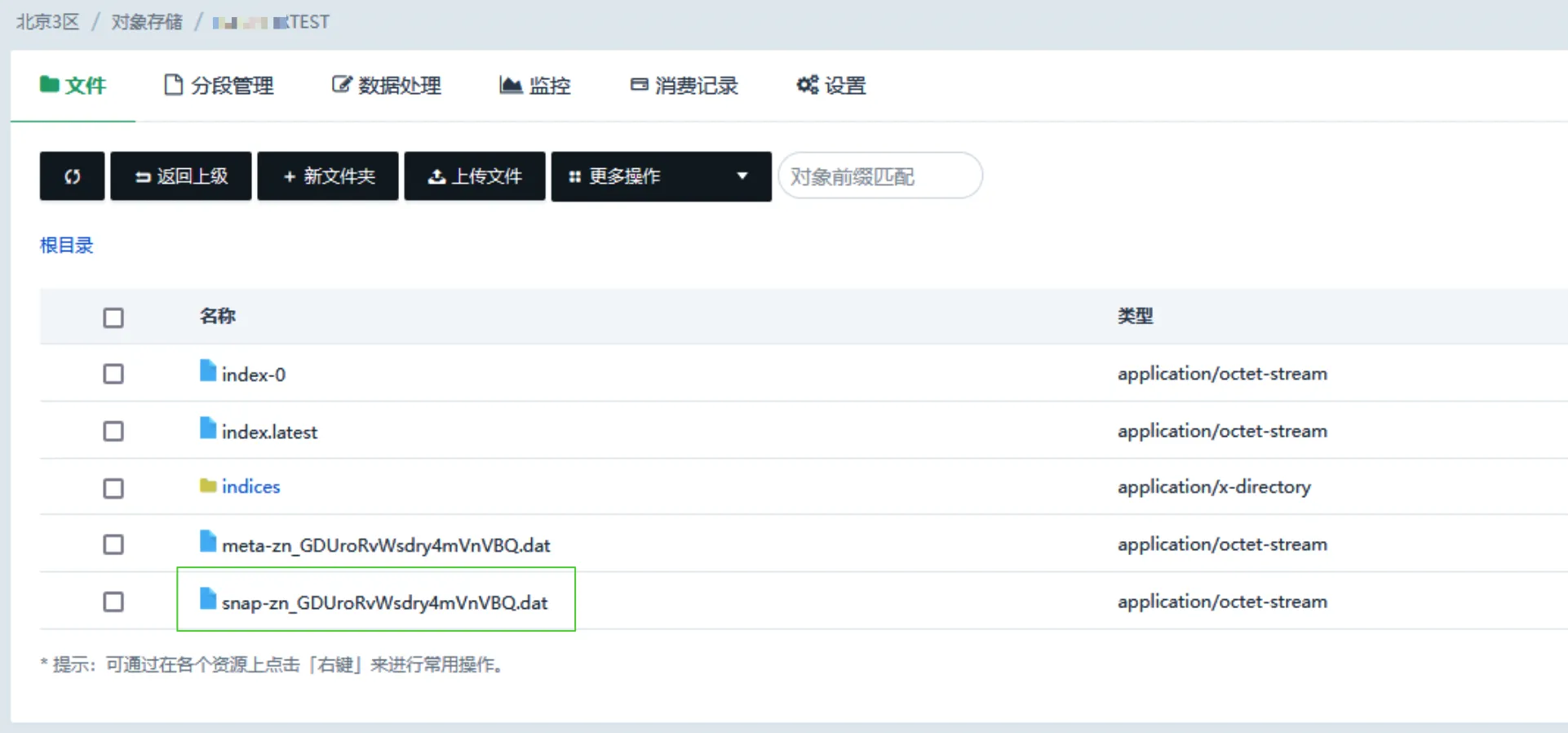
在对象存储相应桶中查看到生成的快照文件。详情可参考查看 Bucket 文件列表。
步骤四: 在 OpenSearch 恢复索引
-
登录 OpenSearch 集群的 Dashboard 管理控制台,详情可参考如何登录 OpenSearch 集群的 Dashboard。
-
在 Dev Tools 的 Console 中分别执行以下命令。
PUT _snapshot/elk-opensearch { "type": "s3", "settings": { "endpoint": "s3.pek3b.qingstor.com", "access_key": "<YourAccessKey>", "secret_key": "<YourSecretKey>", "bucket": "test" } } GET /_snapshot/elk-opensearch GET /_snapshot/elk-opensearch/s001 -
以恢复
s001仓库索引为例,介绍如何恢复单个索引。GET /_snapshot/elk-opensearch POST _snapshot/elk-opensearch/s001/_restore { "indices": "mytest", "ignore_unavailable": true, "include_global_state": false, "rename_pattern": "mytest", "rename_replacement": "restore_mytest", "include_aliases": false } -
以恢复
s001和s002仓库索引为例,介绍如何恢复多个索引。注意 为防止干扰,需先删除 OpenSearch 中干扰项。
DELETE /<index-name> POST _snapshot/elk-opensearch/s001/_restore GET _cat/indices -
为恢复已被修改的索引,需关闭索引编辑,才能恢复索引。这里以恢复
s0013仓库索引为例,介绍恢复已修改的索引。POST /mytest,mytest02,.kibana-7_8/_close POST /_snapshot/elk-opensearch/s003/_restore GET _cat/indices